MURA · GUIDE
Apple TV screensaver art: how to show paintings on your TV
Apple TV has no built-in art screen saver: its screen savers are Aerials, Snoopy, Memories & Slideshows, Portraits and Music Albums. To show paintings you either load your own images into a photo album and use the slideshow screen saver, or open an art app such as Mura. Here is how each works and what it costs.
Updated 25 September 2026 · by Jonas Cronfeld, Embova
Is there an art screen saver on Apple TV?
No. Apple lists the screen saver types on Apple TV 4K as Aerials, Snoopy, Memories & Slideshows and Portraits[1], with Music Albums as a further option in the user guide[2]. Aerials are “slow-motion videos of places around the world”[2], and the photo-based ones draw on your own library. None of them is a collection of paintings. That is why people who want art on an Apple TV end up with one of the two routes below.
How do I change the screen saver on Apple TV?
Open Settings, then Screen Saver, and choose a type[2]. The same menu has Start After, which sets how long the Apple TV waits before the screen saver begins[1]. For Aerials, Choose Aerials picks the categories and Download Frequency sets how often new ones arrive; the number you can keep depends on free storage, which you can see under Settings, General, Manage Storage[1]. Portraits and Aerials need an Apple TV 4K; Apple notes Aerials are not available on the 2nd and 3rd generation Apple TV[1].
How do I get art as a screen saver on Apple TV?
Put the art in a photo album and let Memories & Slideshows show it. The photo screen savers can use albums from your library and media from a Home Sharing device[2], so any painting you save to an album on your iPhone can become the screen saver. It works, and it is free, but every image is one you found, cropped and filed yourself, and the TV shows it as a photo: no title, no artist, no story. It starts only when the Apple TV has been idle for the time set under Start After[1].
Is there an app that shows art on Apple TV?
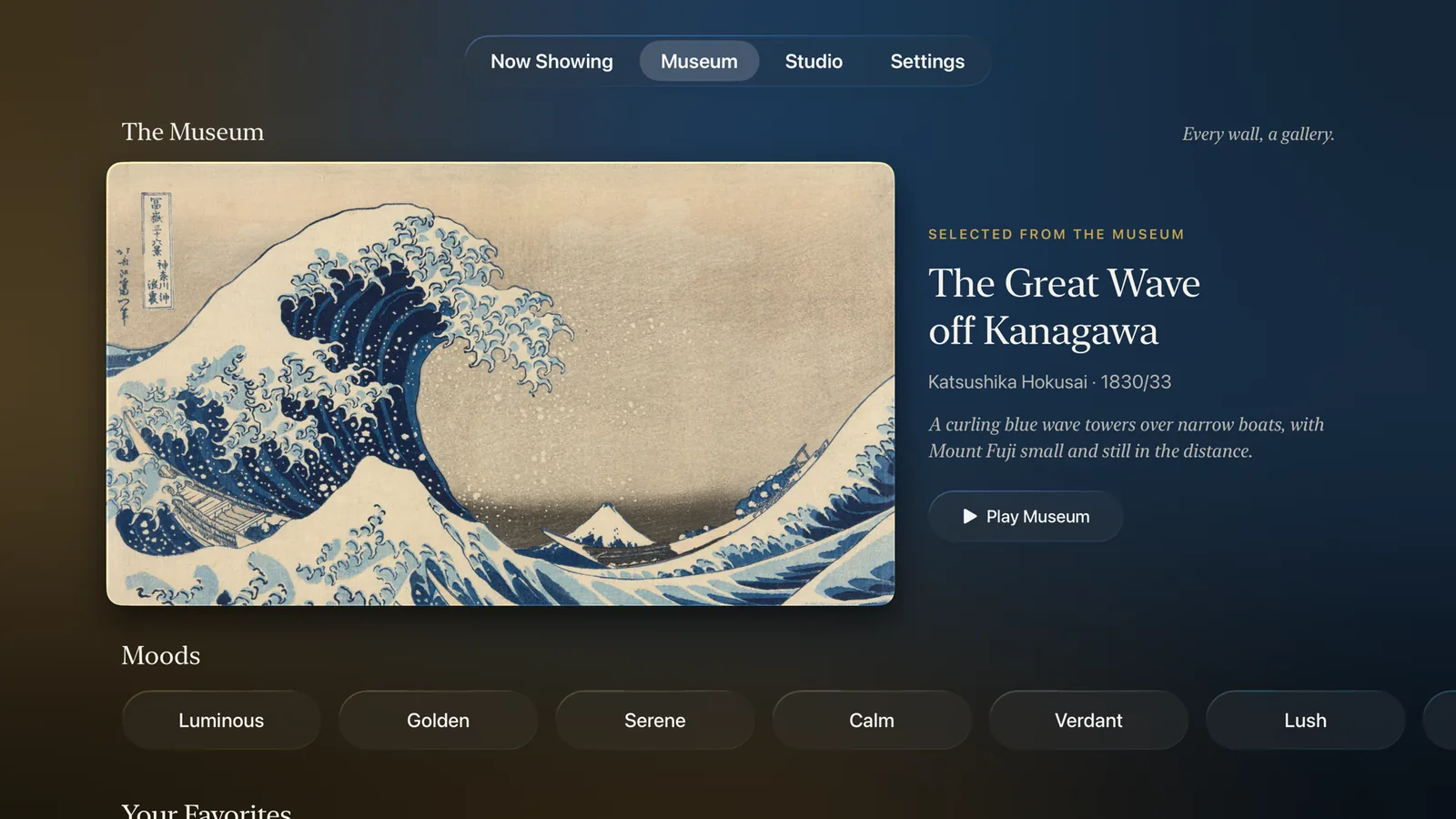
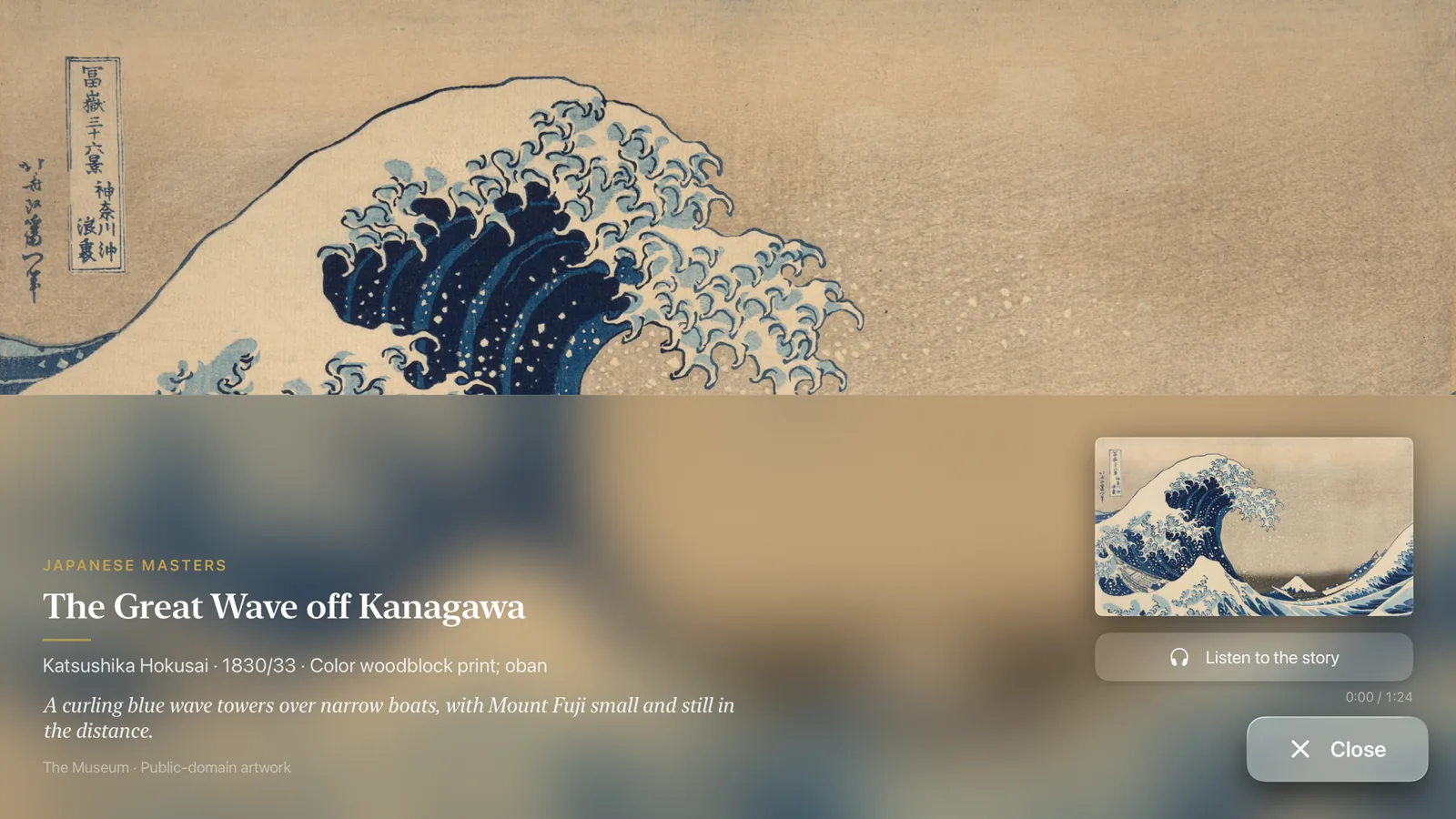
Yes, and this is the other route. An art app shows the work while the TV is on, at the time you choose, with the information a gallery would give you. Mura is one: an app for Apple TV and iPhone with museum masterworks by Monet, van Gogh, Hokusai, Turner, Cézanne, Renoir and Degas and 30 other artists, 1821 to 1927, plus Mura Studio works, 118 in all as of 24 September 2026[8], sold as a membership at $3.99 a month or $24.99 a year[4]. Artcast is another, with a free ad-supported tier and a $4.99 a month premium tier[5]. The difference between them is a library against a gallery: Artcast offers a “large artwork selection” in channels[5]; Mura hangs named masterworks one at a time, each with its title, year and story.
Screen saver or app: which is better for art?
A screen saver is for when nobody is watching; an app is for when someone is. The table sets the options side by side.
| Option | Cost | What it shows | Starts by itself? |
|---|---|---|---|
| Aerials screen saver | Included[1] | Slow-motion video of places[2] | Yes, after the Start After delay[1] |
| Photo album slideshow | Included[2] | Any image you save to an album[2] | Yes, after the delay[1] |
| Mura | $3.99 a month or $24.99 a year[4] | Masterworks by Monet, van Gogh, Hokusai, Turner and more, with titles and stories[8] | No; you open it and it stays on |
| Artcast | Free with ads or $4.99 a month[5] | A large selection in channels[5] | No; you open it |
| Google TV Ambient mode | Included on Google TV[6] | “Featured photos, fine art, and more”[6] | Yes, on Google TV devices, not Apple TV[6] |
Which Apple TV do I need?
An Apple TV 4K, for two reasons. The screen savers that matter here need it: Apple states Aerials are unavailable on older models[1]. And the box outputs video up to 2160p[3], so a painting fills a 4K TV at the panel’s own resolution rather than being scaled up. The 64 GB and 128 GB models differ only in storage and Ethernet[3]; both run art apps the same way.
Can an Apple TV replace a Samsung Frame?
For the art, largely; for the hardware, no. Samsung’s Frame adds a motion sensor that turns the TV on or off and brightness that follows the room[7]. An Apple TV on an ordinary TV does neither, so you switch it on yourself and accept the glare of a glossy panel. What you gain is that the art moves with the box to any TV, and that the collection is an app you chose rather than a store tied to the screen. The membership for the full Samsung Art Store is $4.99 a month or $49.99 a year[7]; Mura’s is $3.99 a month or $24.99 a year[4].
Sources
- Apple Support: Screen savers on your Apple TV · read 24 September 2026
- Apple TV User Guide: Set up Apple TV 4K screen savers · read 24 September 2026
- Apple: Apple TV 4K, Technical Specifications · read 24 September 2026
- App Store: Mura, Art Gallery for TV · read 24 September 2026
- Artcast: Streaming Art for Your TV, home use · read 24 September 2026
- Google TV Help: Change the screensaver on Google TV · read 24 September 2026
- Samsung US: Art TV, Transform Your Wall with Art-Gallery TV · read 24 September 2026
- Mura catalogue, Resources/gallery.json, counted 24 September 2026 · read 24 September 2026
Mura is an art app for Apple TV and iPhone: museum masterworks by Monet, van Gogh, Hokusai, Turner and Renoir, shown one at a time, each with a story to listen to. See every work in the collection.
Get Mura for Apple TV